![logo_white_noballoon_735x250.png]](https://help.deedmob.com/hs-fs/hubfs/logo_white_noballoon_735x250.png?width=147&height=40&name=logo_white_noballoon_735x250.png)
Your platform is already the home for volunteering in your area. The discover embed lets you take it further, by bringing your live opportunity search onto any other website too.
The embed pulls your live opportunity search directly onto any webpage via a simple iframe. Any organisation that posts opportunities on your platform automatically shows up wherever you've added the embed. They create their opportunity once; it appears everywhere.
This makes your platform the single place where opportunities, activities, workshops and events get listed. Partner organisations stop maintaining separate pages. You stop chasing them to keep things up to date. Everything flows from one source.
It also opens up a practical conversation with your municipality, local library, or other community stakeholders. Embedding the search on their websites costs them nothing and gives their visitors something genuinely useful. For you, it means more visibility and a stronger case for being the go-to volunteering infrastructure in your area.
How to enable it
Contact your customer success manager to switch the feature on. They'll send you the embed link once it's active.
Customising and adding it to a website
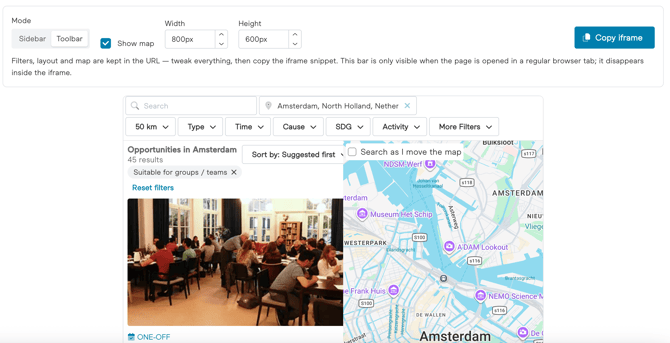
Open the link your CSM sent you. From there you can set filters and adjust the height and width to fit the page where it will appear. When you're happy with it, choose "Copy iframe" and share that code with the website owner or developer of the site where you want the embed to show up.
A few things to know
Visitors browse in the embed but click through to apply. When someone selects an opportunity or activity, they go to your Deedmob platform to complete their application.
If your platform has a login wall, unauthenticated visitors won't see the embed by default. Contact your customer success manager if you want to discuss options.
If you use a cookie consent banner, it may not display correctly inside an iframe. There's a setting to fix this. Reach out if you run into it.
Not working?
Check that the embed is enabled in your settings and that you're using the correct domain and language code. An active login wall can also block the embed from showing.